


Davis Fault Finding & Fitting Guides
In the unlikely event that your Davis weather station develops a fault, we’ve put together these interactive guides to help you work out what’s wrong and put it right.
Choose your station below, select the part that’s playing up and tell us what it’s doing. We’ll show you the likely cause, a quick test to try first and, if needed, the right spare part to get you up and running again.
Plenty of apparent faults turn out to need nothing more than a quick clean or a simple setting change, so it’s always worth running through the guide before replacing anything.

Vantage Pro2
Open the Vantage Pro2 guideThe wind cups and vane sit on their own arm, separate from the sensor suite, and the rain collector cone sits on top of the radiation shield.

Vantage Vue
Open the Vantage Vue guideA compact all-in-one sensor suite, with the wind cups, vane, rain collector and radiation shield built into one unit.

WeatherLink & connectivity
Open the WeatherLink guideFor problems getting your data onto WeatherLink.com, the app or your computer, with a WeatherLink Live or a USB or serial data logger.

Legacy stations
See legacy partsThe Weather Monitor II and Weather Wizard III are older Davis stations. We can still supply the anemometer and wind vanes.


Routine maintenance
A little regular cleaning keeps your readings accurate and heads off many of the faults in these guides. These intervals come from the Davis sensor suite manuals.
Several times a year (Vantage Pro2)
- Check the rain collector and radiation shield and clear out anything blocking them, such as twigs, leaves, webs and nests.
- Clean the rain collector thoroughly to keep it accurate.
- Wipe dust off the solar panel and radiation shield with a damp cloth.
At least once a year (Vantage Pro2)
- Take the radiation shield apart and clean it thoroughly, or more often if your station is in a dusty spot.
- While it's apart, clean any dust or debris off the temperature and humidity sensor inside.
- Take off the wind cups and vane with the Allen key, clear any dust or debris from the shafts and check they turn freely.
At least once a year (Vantage Vue)
- Check the radiation shield for debris or insect nests and clean it if needed.
- Clean the rain collector cone and debris screen, or more often if they need it.
- Cleaning the rain collector can register false rain, so it's worth clearing those readings afterwards.
Things to avoid
- Don't spray the radiation shield with water or use lots of water on it, as this can damage the sensors.
- Don't lubricate the anemometer shafts or bearings.
- Don't spray the sensor suite with insecticide.
The backup battery
Both sensor suites run on solar power with a CR-123A 3-volt lithium backup battery. Davis quotes 8 months without sunlight, and more than 2 years depending on solar charging.
Tune-up kits
-
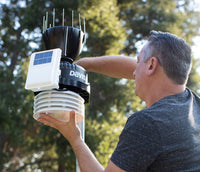
Davis Complete Tune Up Kit (Metric) for Pro2
For the Vantage Pro2
-
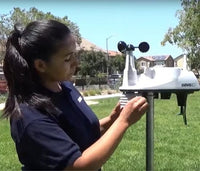
Davis Complete Tune Up Kit (Metric) for Vue
For the Vantage Vue
Tools and consumables
The small bits that tend to go missing or wear out.
-
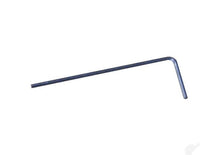
Davis Allen Key
Fits the wind cups and vane on the Vantage Pro2 and Vantage Vue
-
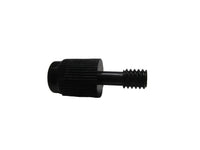
Vantage Vue Thumb Screw
Vantage Vue
-
Davis Replacement Debris Screen 7342-031 for Pro2 Rain Collector
Vantage Pro2 rain collector
-
Davis Replacement Debris Screen 7342.199 for Rain Collector
Vantage Vue rain collector
Still stuck?
Tell us which station you have, roughly how old it is and what it's doing. For rain faults, the calibration marking on the rain cone helps too. We'll reply by email, and you can send us photos when you reply.